

Shopify Payment App
Introduction
Mondu's Shopify payment app enables you to offer a Buy Now, Pay Later (BNPL) service to B2B customers. Currently, the payment method available at checkout is limited to invoicing by bank transfer with net 30-day terms.
Mondu's payment app is available through custom distribution and cannot be downloaded from the Shopify App Store. To install the payment app, please contact our integration team.
Installation Guideline
Since Mondu's payment app is available through custom distribution, we require your myshopify.com or admin.shopify.com domain.
Mondu will then onboard the merchant to their platform and configure the payment app accordingly.
Once Mondu has configured the payment app for your shop domain, we will provide you with a link to access and install the app.
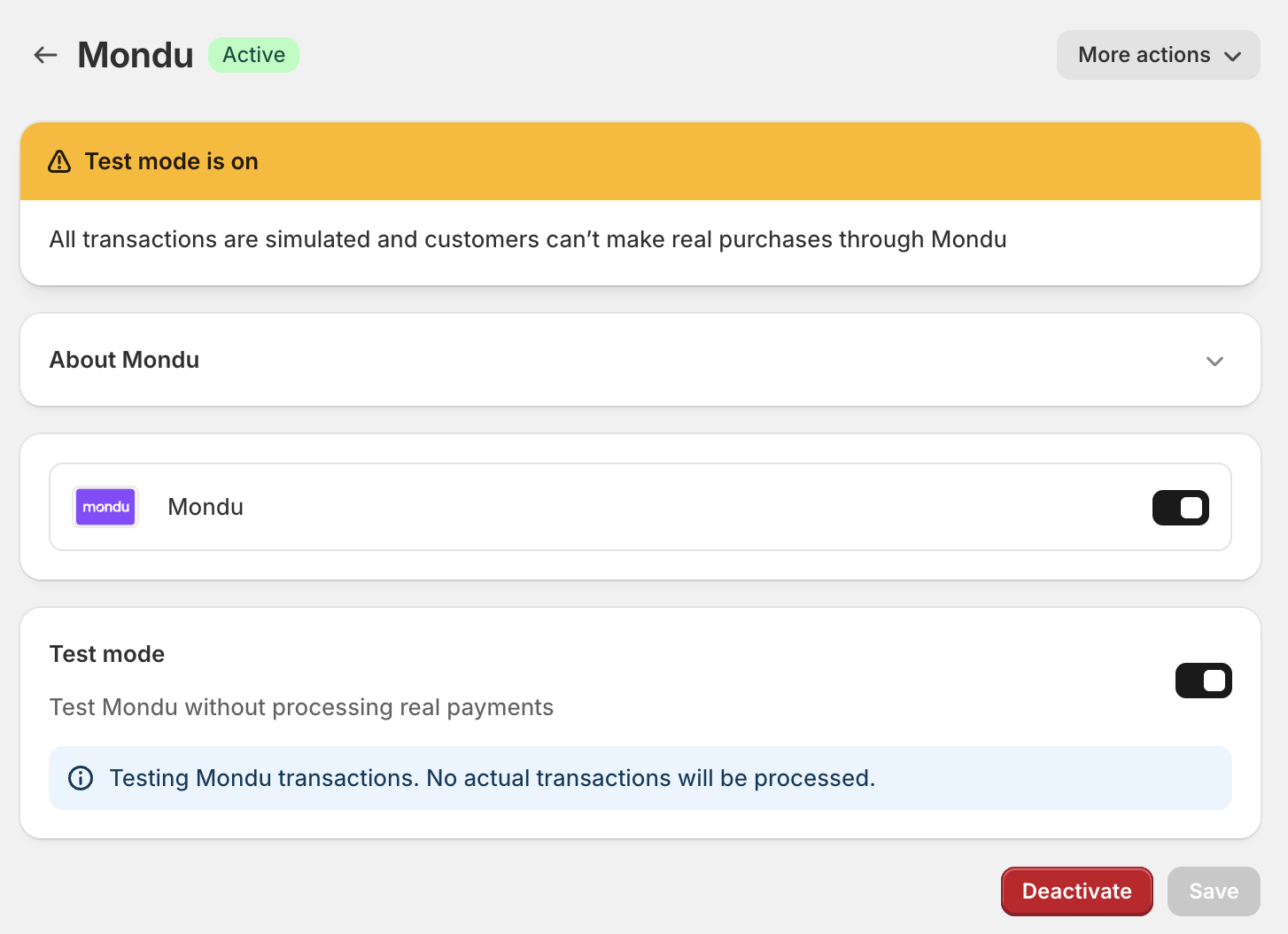
After installing the app, it is required to click 'Activate'.
Note: The logo in the screenshot will be shortly updated to Mondu.
As Mondu offers B2B payments only, it is essential that your checkout process supports B2B transactions (e.g., requesting the company name) and can differentiate between payment methods offered to B2C and B2B customers. Shopify offers various options for setting up a shop for B2B customers. You can find detailed documentation in the Shopify Help Center, such as: Checkout and accounts in B2B; B2B wholesale; B2B-shops mit Shopify (DE only)
A Shopify PLUS membership is required in that context.
Handling of follow up operations
After an order is placed via Shopify, Mondu provides the order uuid (Mondu Order identifier) through a metafield called order_uuid scoped under Mondu namespace in metafields object and making it accessible within Shopify. This allows the merchant to perform additional actions either through the Shopify platform or via API integration.
Mondu's order_uuid is then accessible via Shopify GraphQL, or, using the Shopify order API.
Mondu supports all actions through the Shopify app. Link to API documentation, if required:
Usage Guideline for handling follow up operations in Shopify
Create Order
Open your Shopify shop, add a product to the basket and proceed to checkout, select Mondu as a payment option and click Pay now.
Mondu Hosted Checkout will now open and depending on the amount of data about the buyer and purchased goods sent to Mondu in a moment of choosing Mondu as payment method, the Hosted Checkout will inform you about the result of risk assessment (order confirmed/declined) or request additional information from the buyer.
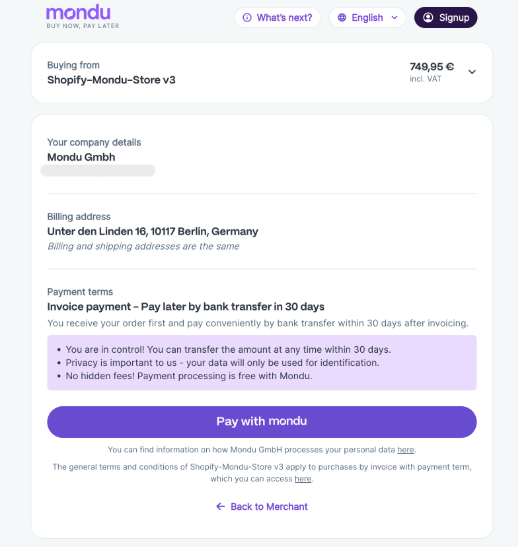
In case the order is confirmed the user will be asked to confirm the transaction, then she will be forwarded to the success page and receive an email confirmation.
In case the order is declined, the buyer will be forwarded to the page listing all the payment options to have another chance to finalize the purchase using a different method.
Refund / Return
In order to return an article or to refund an order please use the corresponding action buttons on the top of the order overview.

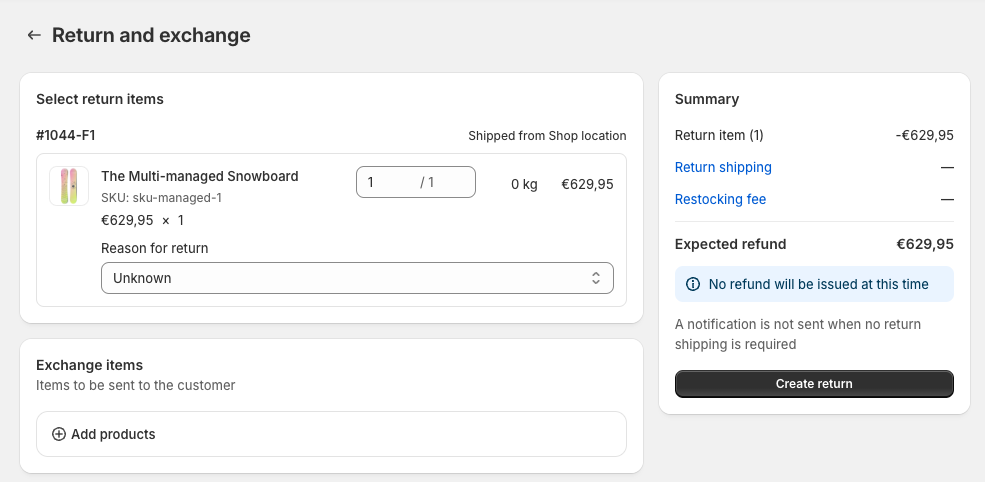
use the return function to enter returns of articles
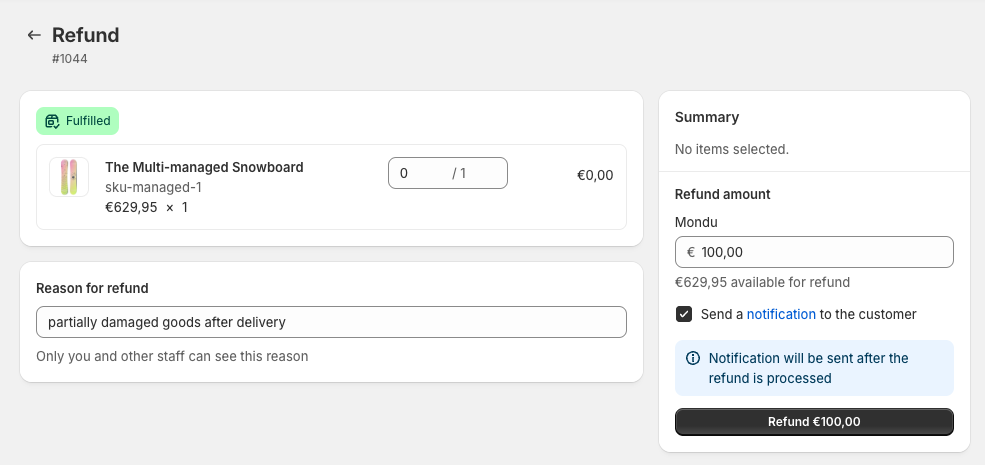
use the refund function to lower the invoice amount
Invoice submission
use the refund function to lower the invoice amount
Updated 2 months ago