

Payouts
Payouts
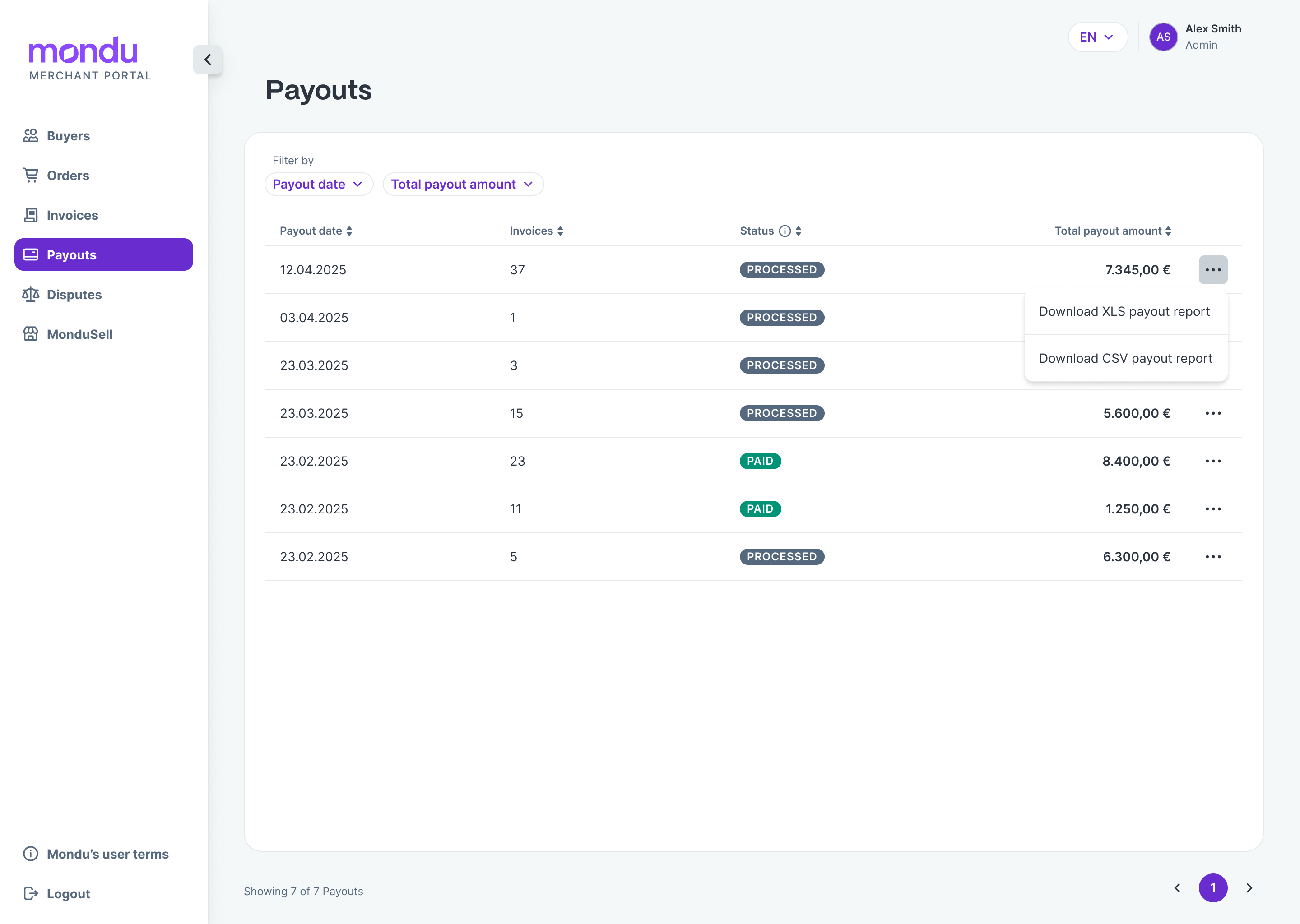
The ‘“Payouts”' menu item lists all current and historical payout reports. The payout reports break down the collective transfers you have received into their respective line items, including any applicable deductions and taxes.
Use the filters to search by payout date or transfer amount. A payout report is displayed as soon as a payout reaches ‘Processed’ status – i.e. shortly before the actual transfer.
- Processed: Payout has been initiated and the transfer is usually expected within one business day.
- Paid: Payout has been sent and confirmed by our banking partner.
The ‘Status’ column in the payout overview allows you to sort easily with a click. Move the mouse pointer over the status label to display an explanation of the respective payout status.
Download the payout report
The payout reports can be downloaded as XLSX or CSV file.
Example payout report
Below is an example of a CSV payout report and an explanation of the columns.

Explanation of the payout report:
| Variable | Context |
|---|---|
| Order No | Order ID of the merchant |
| Doc No | Invoice ID of the merchant |
| Doc Type | Invoice = a customer invoice for an order with any of the Mondu payment methods. Credit Note = a credit note that has been transferred to Mondu's system to correct the invoice amount. The amount here can be positive as well as negative. Buyer Payment = if a customer pays the merchant instead of Mondu, this can be reported via the Mondu merchant portal and deducted from the next payout. Dispute Note = if the merchant loses a dispute against a customer, the disputed amount may be deducted from the next payout. |
| Customer Name | The company name of the buyer. |
| Transaction Amount | The total invoice amount. |
| Discount % | The payment fee in % calculated based on Transaction Fee + MDR % |
| MDR % | The payment fee in % set in the contract. |
| Transaction Fee | The fixed fee charged for that transaction set in the contract. Applied to the first invoice (once per order). |
| Gross Purchase Price | The Transaction Amount minus the Payment Fee. |
| Discount | The payment fee in € or £ without VAT. |
| VAT on Discount | VAT applied on the Discount. |
| Transfer Amount | The total amount that Mondu transfers to the merchant related to the Invoice. |
| Total Deductions | Discount + VAT on Discount. |
| Order Creation Date | The date the order was created in Mondu’s system. |
| Doc Creation Date | Creation date of the Invoice, Credit Note, Buyer Payment or Dispute Note. |
| Payout Completed Date | The date the payout is created in Mondu system. |
| Mondu Doc ID | Mondu ID for Invoice, Credit Note, Dispute Note, Buyer Payment. |
| Due Date 1 | Due date of the invoice. |
| Amount Due | Total amount due by the buyer. |
| Mondu Order ID | Mondu ID for Order. |
| Gross Transfer Amount | Total Amount of Gross Purchase Price. |
| Total Deduction Amount | Total Amount of Credit Notes + Buyer Payments + Dispute Notes. |
| Net Transfer Amount | The Actual Amount that Mondu transfers to the merchant. |
Updated 7 months ago